
Copilot SafeScan
This is a complete tool to assess how ready your M365 tenant or your clients tenants are for copilot rollout.
Delivered by LogiSam, London and Dubai. Listed on AI Bazaar for technology and IT.
Who is it for?
- IT managers and IT security teams
- IT providers who check their clients' tenants
How to use it?
- You run the scan on a Microsoft 365 tenant.
- In less than 5 minutes you see what needs to be fixed.
- You download a PDF and an Excel report.
Benefits
- A clear plan to fix each problem
- Step by step fixes, with the PowerShell script
- Reports ready to share with clients or your team
What Copilot SafeScan does
This is a complete tool to assess how ready your M365 tenant or your clients tenants are for copilot rollout.
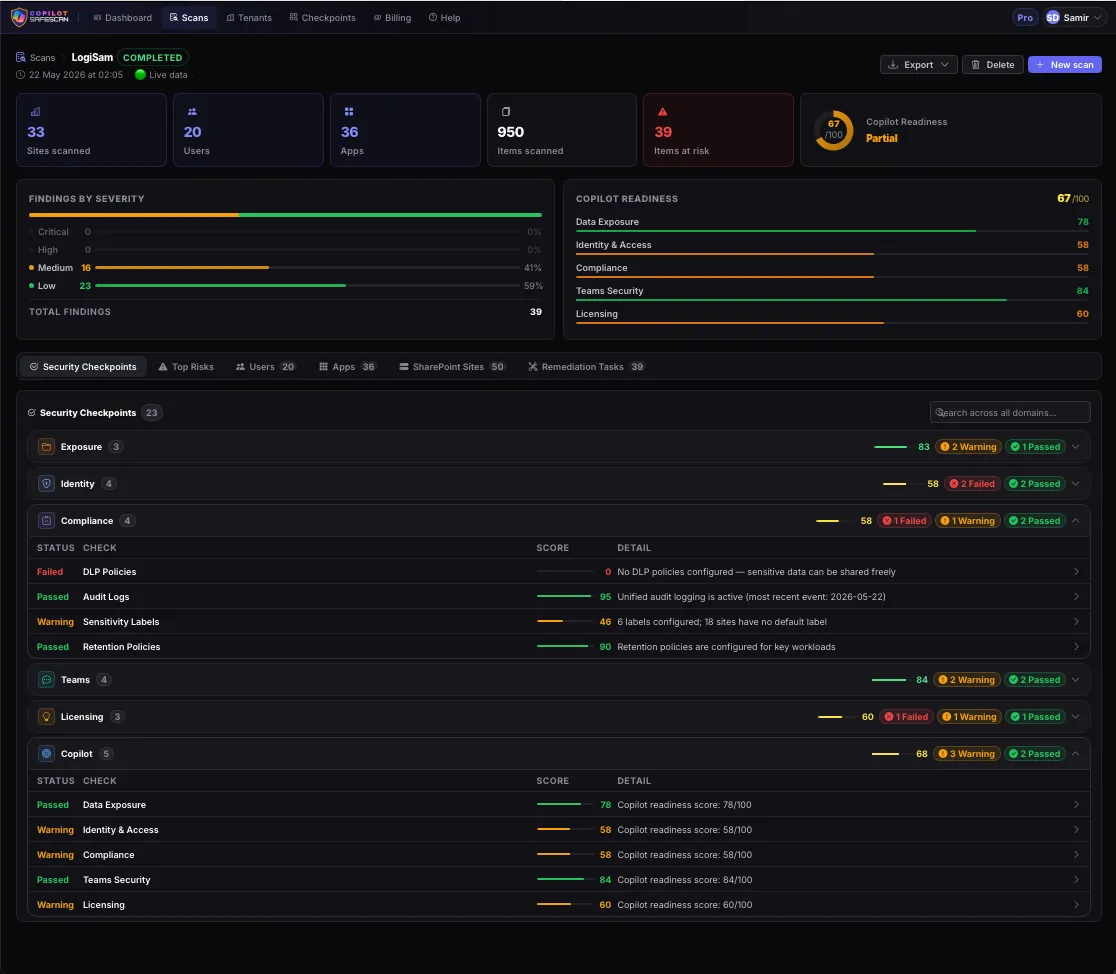
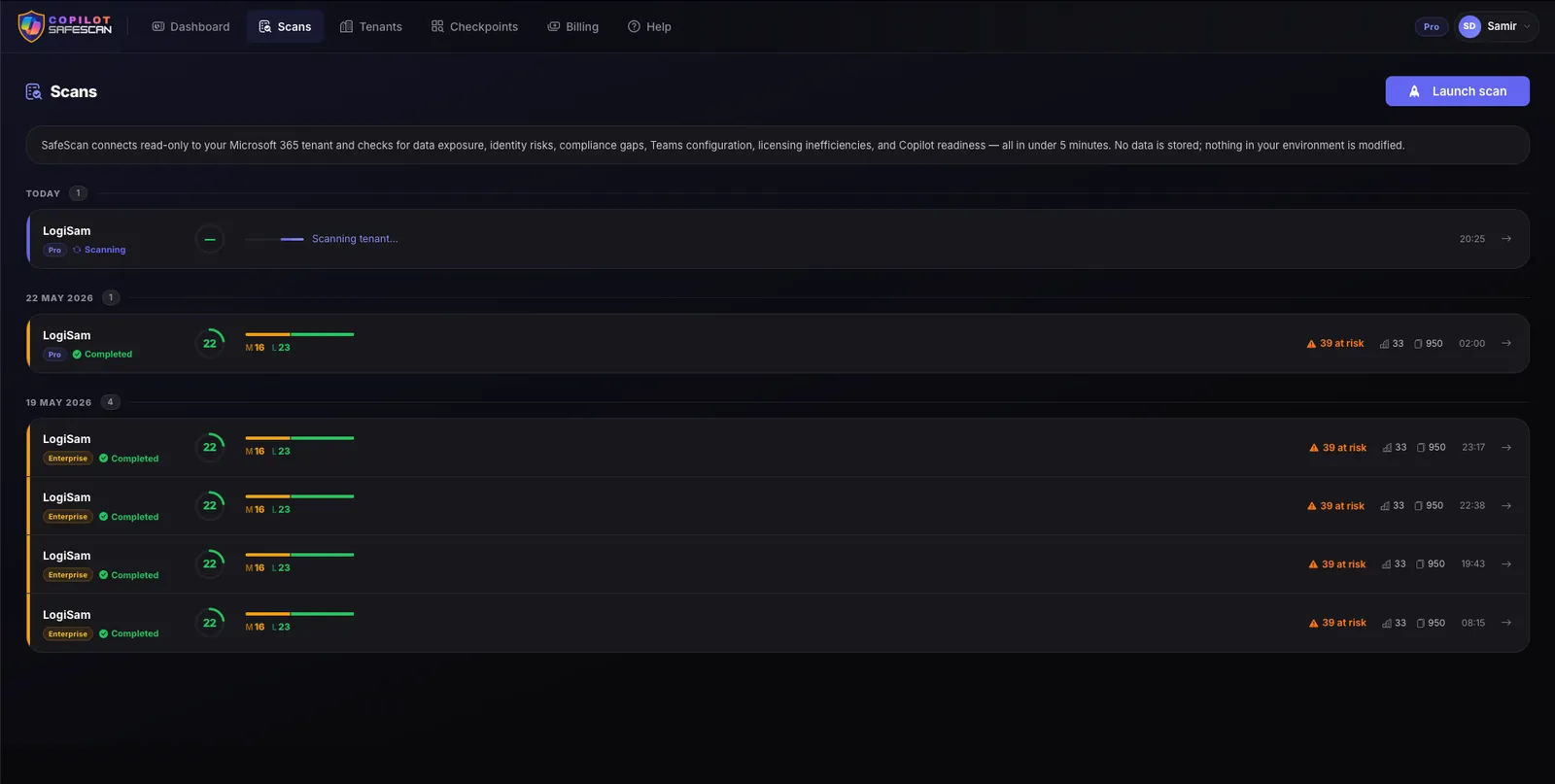
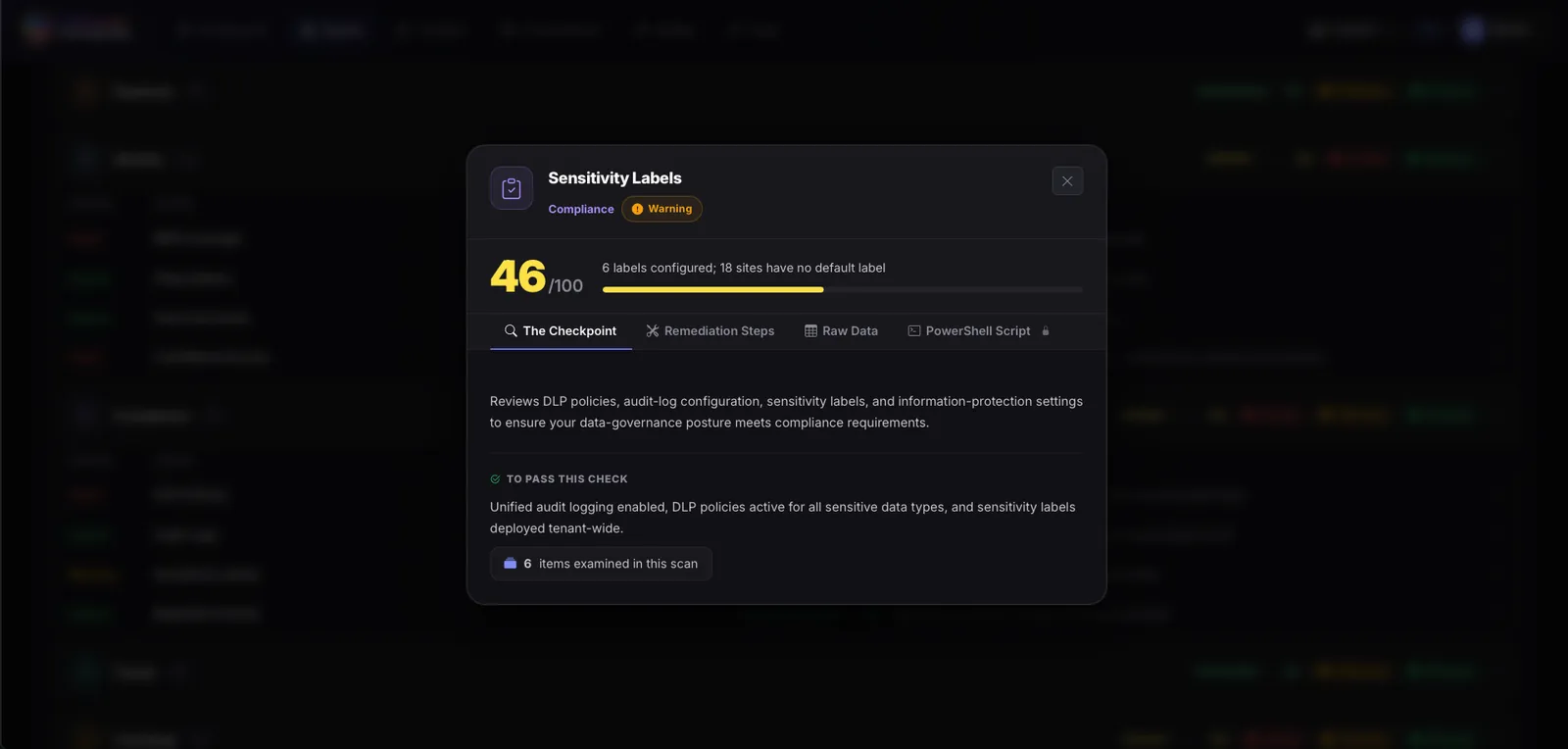
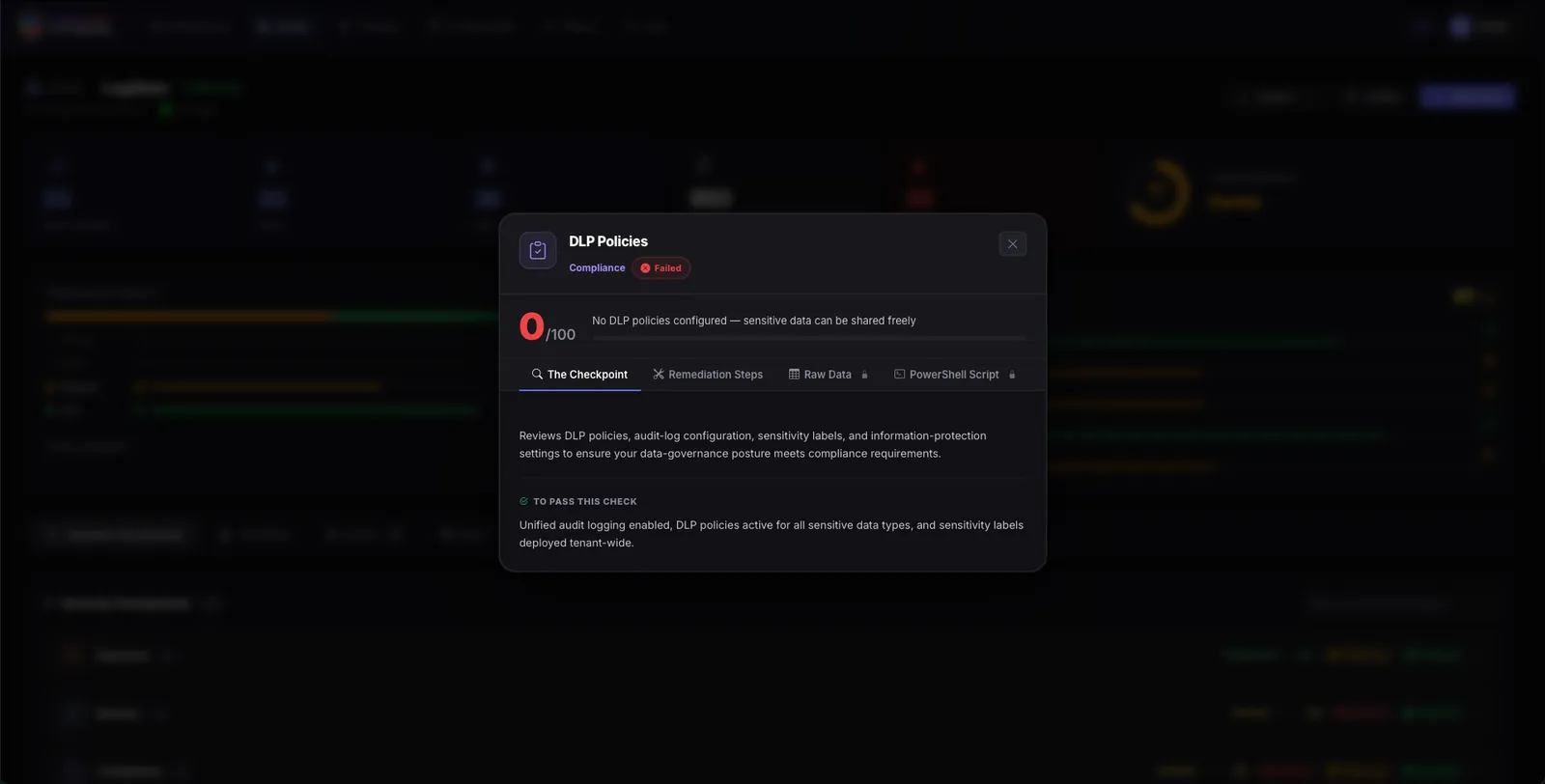
The tools checks numerous domains and checkpoints, and returns in less than 5 minutes a complete overview of the situation, what needs to be fixed, and create a remediation plan.
You will get downloadable PDF and Excel to share with your clients or internally.
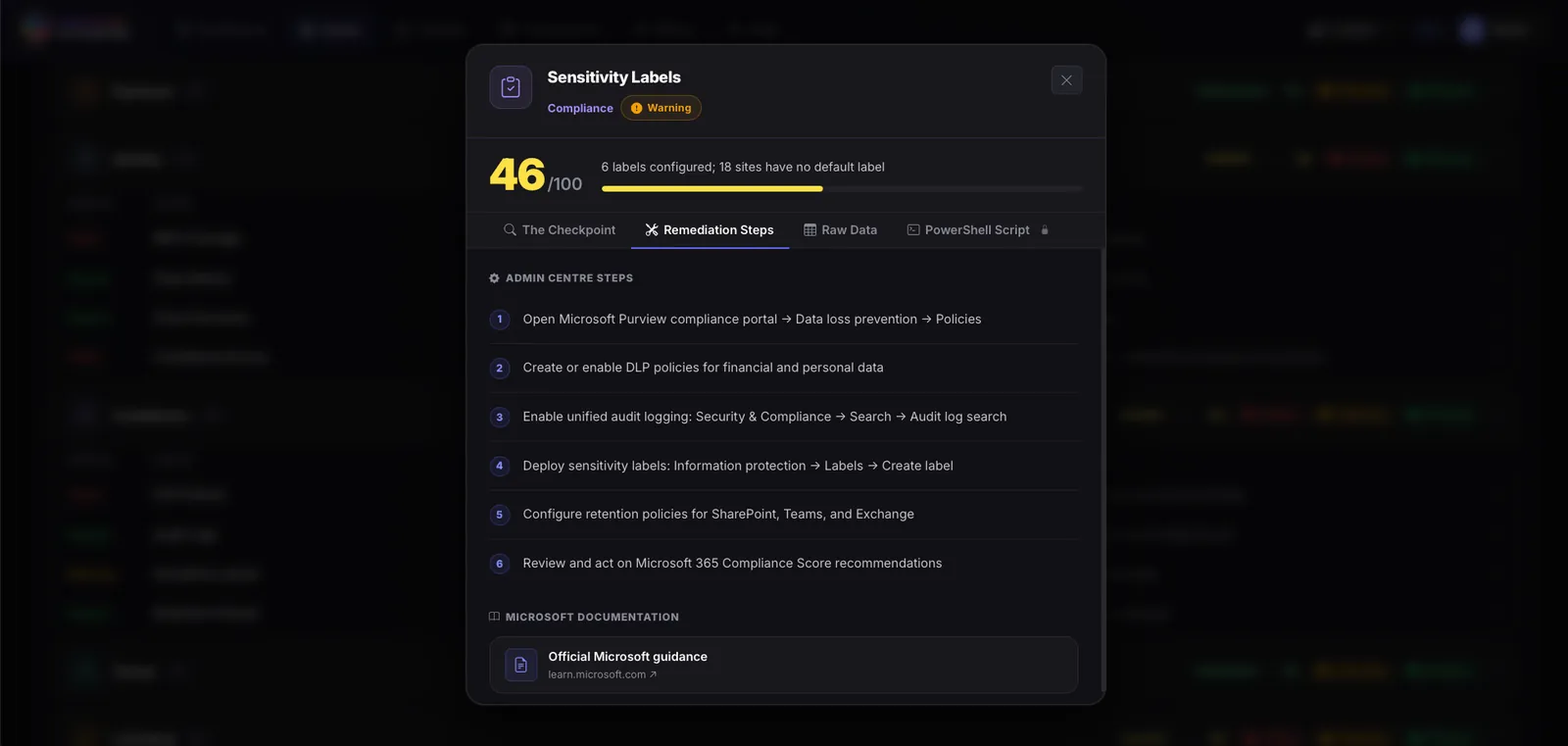
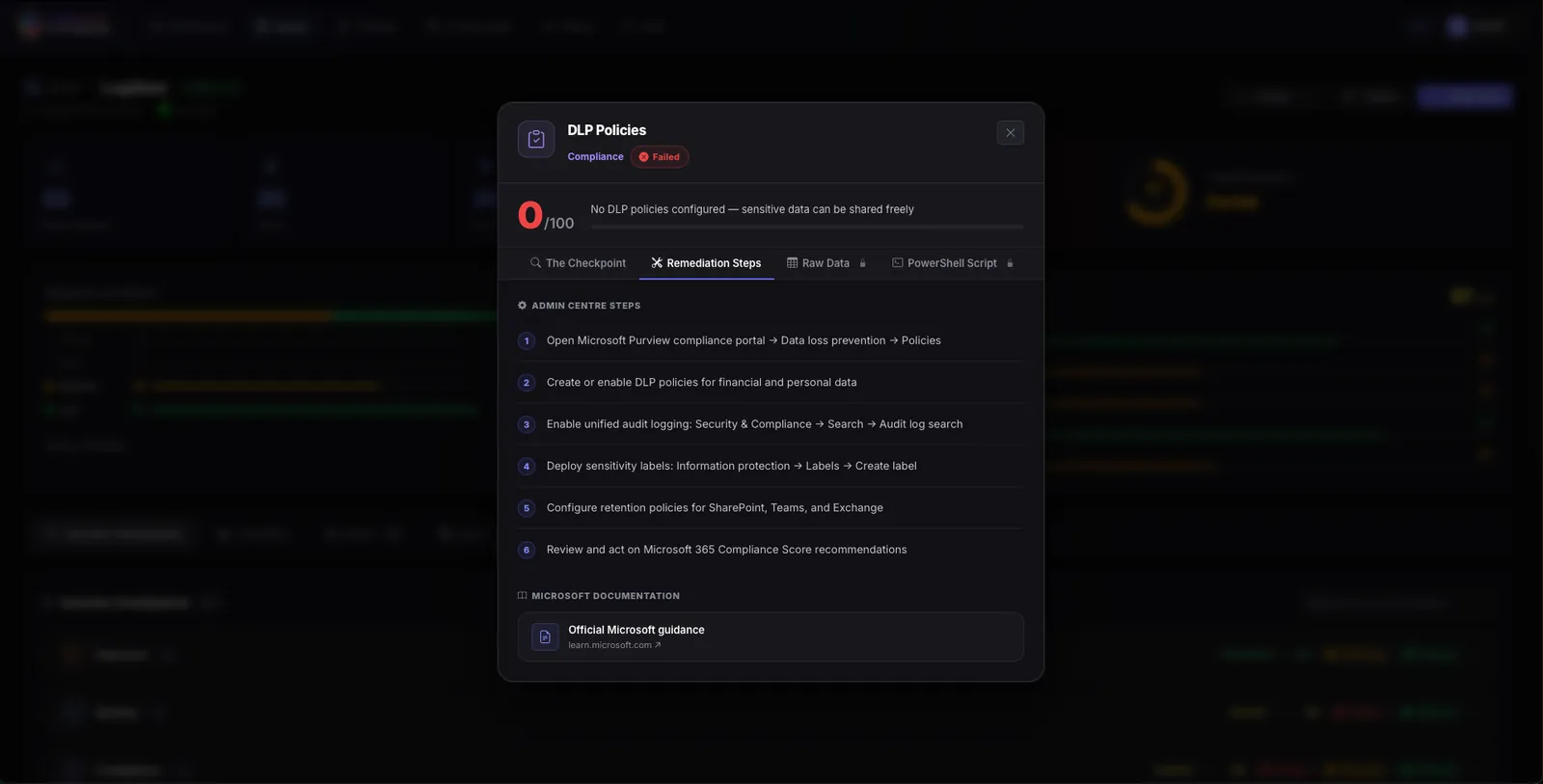
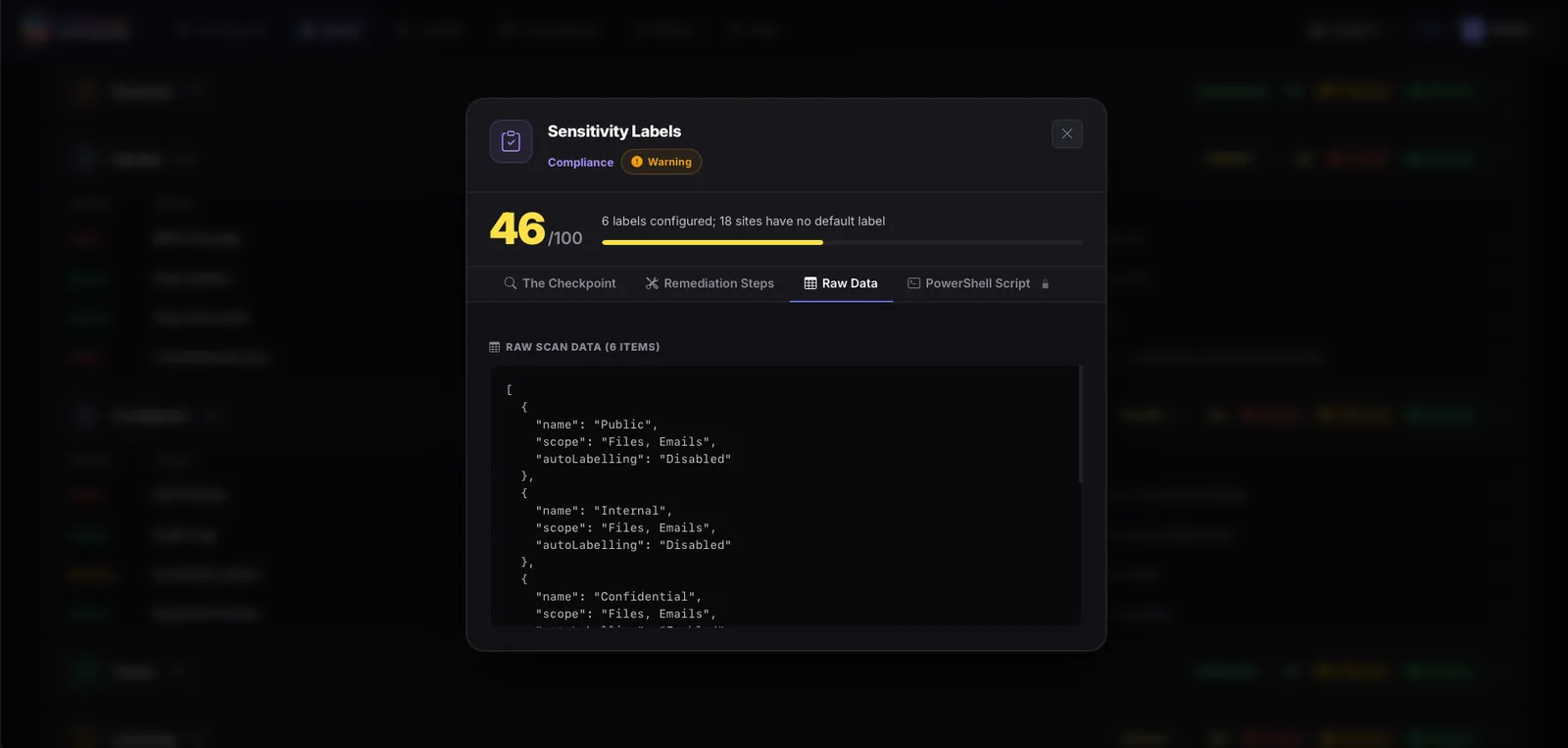
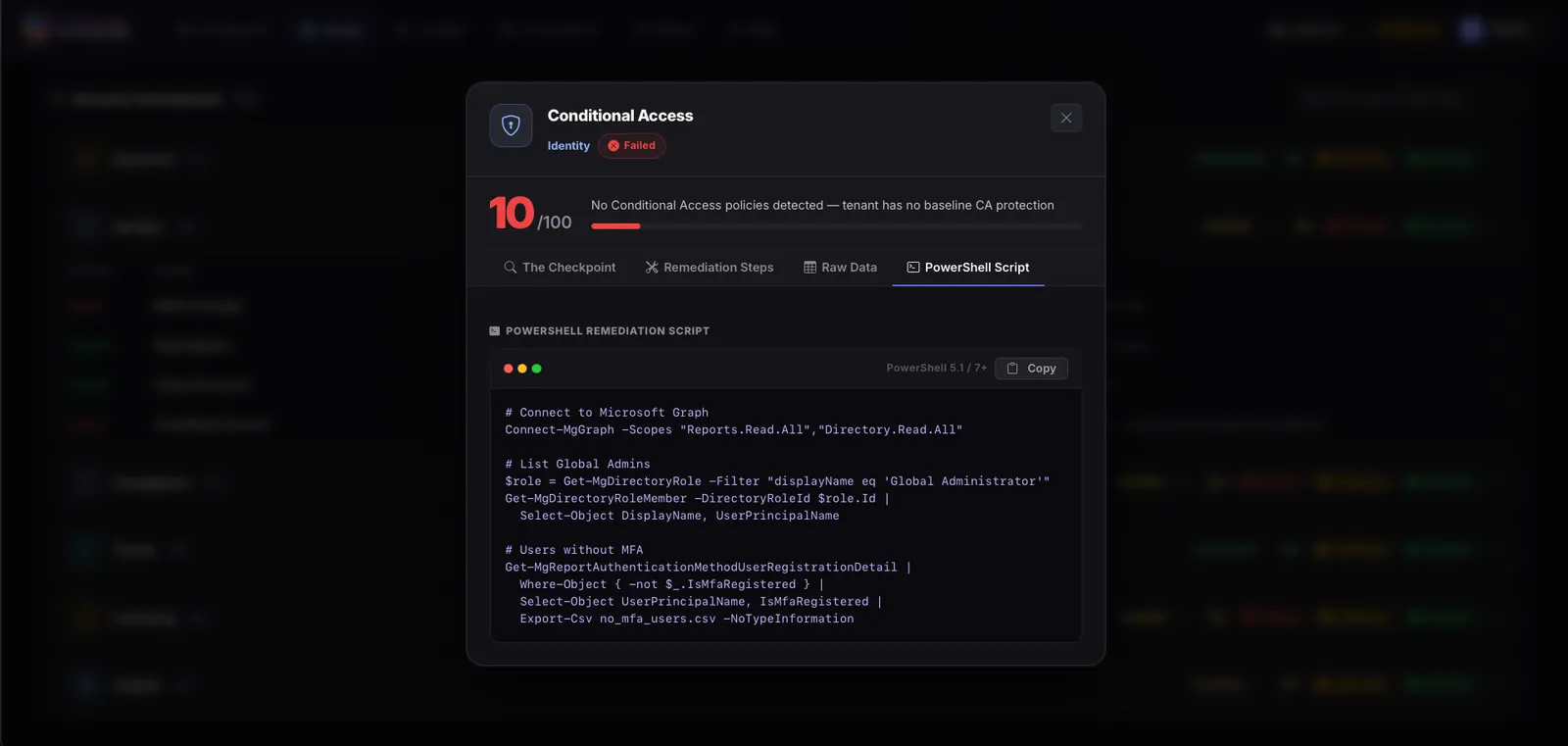
For each checkpoint, you can access the raw data (e.g. users without MFA), you can also check the step by step remediation process, or the PowerShell script to run to fix the issue.
Plus you will get useful links to Microsoft learn resources.
Learn more -> https://copilot-365.com/safescan.html
See it
Key facts
- IT Provider
- LogiSam
- Industry
- Department
- Cloud platform
- Cost to contact
- Free for buyers
Questions about Copilot SafeScan
What is Copilot SafeScan?
This is a complete tool to assess how ready your M365 tenant or your clients tenants are for copilot rollout. It is delivered by LogiSam and listed on AI Bazaar.
Who delivers Copilot SafeScan?
LogiSam, based in London and Dubai, delivers Copilot SafeScan. LogiSam is a Microsoft Partner specializing in Power Platform, Microsoft 365, Copilot readiness, and AI-driven transformation.
Who is Copilot SafeScan for?
Copilot SafeScan is for technology and IT. It helps IT teams.
How do you use Copilot SafeScan?
You run the scan on a Microsoft 365 tenant. In less than 5 minutes you see what needs to be fixed. You download a PDF and an Excel report.
What are the benefits of Copilot SafeScan?
A clear plan to fix each problem. Step by step fixes, with the PowerShell script. Reports ready to share with clients or your team.
Where does Copilot SafeScan run?
Copilot SafeScan runs on Microsoft Azure.
How do I talk to LogiSam about Copilot SafeScan?
Press "Talk to this IT provider" on this page and send a short message. AI Bazaar connects you with LogiSam. It is free for buyers.
Can I see Copilot SafeScan before I decide?
Yes. Ask for a demo in your message. LogiSam can show you Copilot SafeScan and answer your questions. You decide after that if it fits your business.
What does Copilot SafeScan cost?
AI Bazaar does not show prices. Contact through AI Bazaar is free for buyers. LogiSam gives you its own price after the first talk, based on what you need.
Talk to LogiSam about Copilot SafeScan
Send a short message. AI Bazaar connects you with the IT provider. It is free for buyers.
- Step 1
You tell us what you need.
- Step 2
AI Bazaar introduces you to LogiSam.
- Step 3
You and the IT provider talk. You decide if it fits.
Compare with similar AI use cases
By The NextGen Partners
AI ISV Enablement for Microsoft Co-Sell and Marketplace Monetization
The NextGen Partners helps AI-focused Independent Software Vendors (ISVs) scale within the Microsoft ecosystem by enabling technical readiness, solution designations, and advanced.